Skip to content
Rolin中文
MAC + IPHONE / DOWNLOADS

Your workstation is here.
The camera is in your hands.

Organize production on Mac. Explore shots with iPhone.

01 / THE WORKSTATION

Rolin

Mac app · A production workstation from inspiration to editing
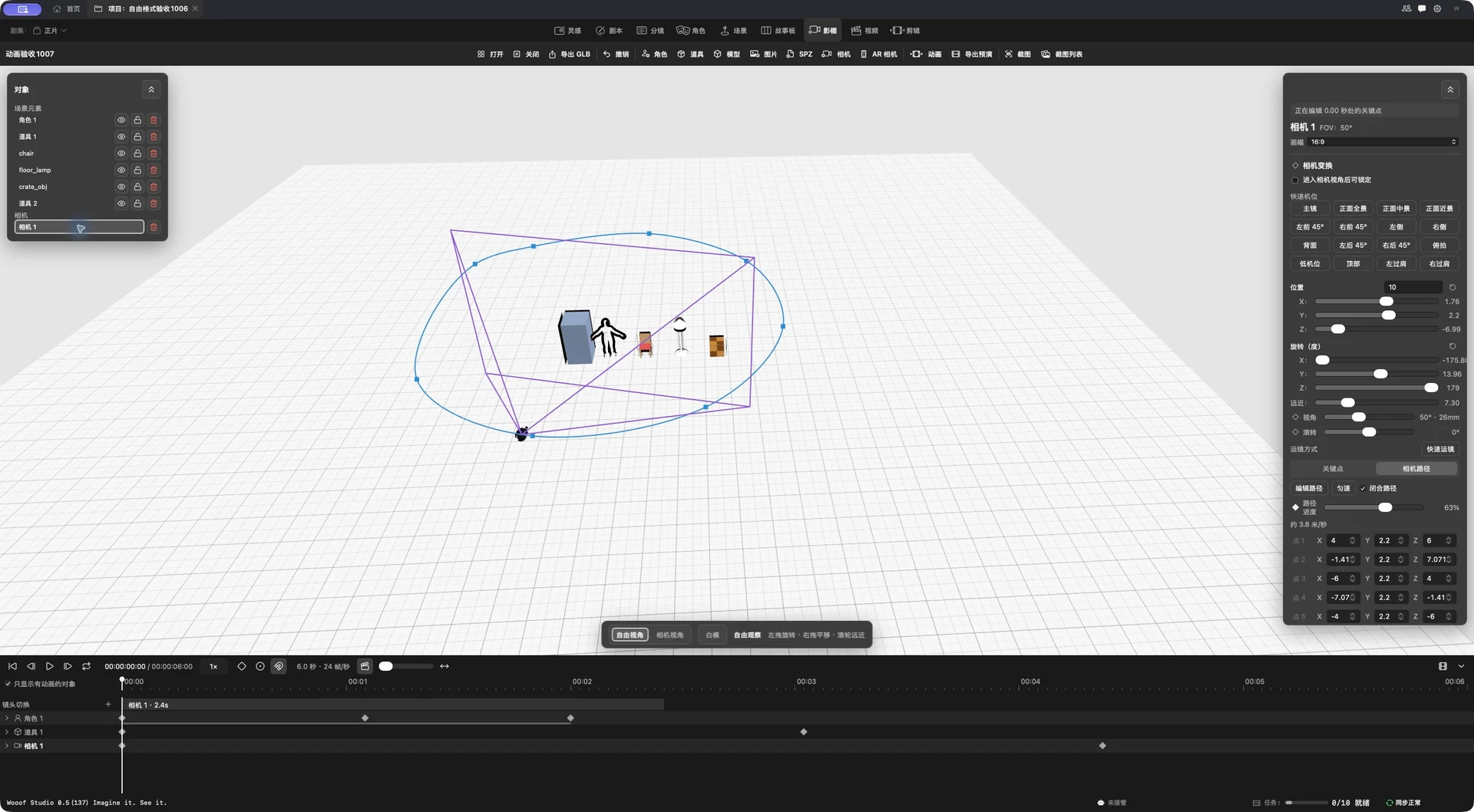
Rolin capture: virtual studio, camera settings, 3D scene and animation tracks

DOWNLOAD

Mac downloads open soon

Downloads are coming soon. Stay tuned.

System
macOS 26 or later
Chip
Apple M1 or later
Memory
8GB minimum · 16GB or more recommended
02 / THE VIRTUAL CAMERA

AR Virtual Camera

iOS companion · Your iPhone becomes a virtual camera

Cinematic reference: a person on a rain-soaked pier with a boat in the distanceAR CAMERA

DOWNLOAD

iOS downloads open soon

Downloads are coming soon. Stay tuned.

Purpose
Frame and move the camera in the Mac 3D Virtual Studio
Connection
Works with the Mac app
Compatibility
Compatibility details coming soon

Two apps. One creative flow.

01

Build the scene on Mac

Place characters and props, and establish the camera's relationship to the space.

02

Connect your iPhone virtual camera

Enter the companion viewfinder and make your phone an extension of the camera.

03

Show the shot through movement

Frame and move by hand, with immediate visual feedback.