Skip to content
Rolin中文
← Product overview
08 / EDITING

Editing

Turn shots into a story. Preview its rhythm in a rough cut.

08

Organize shots, refine transitions and timing, and complete a rough cut in Rolin. Export the edit to Final Cut Pro, Premiere Pro or other professional tools when you are ready for fine cutting.

01 / 03Manual timeline

Build your timeline as you generate. Keep the film’s rhythm in view.

Build the timeline manually and judge the film's rhythm throughout production.

Adjust order, duration and transitions to see each shot in the whole film. The library organizes media; the creator builds the timeline.

Cinematic reference: a person on a rain-soaked pier with a boat in the distance
ROLIN / EDITING00:00:12
00:0000:0500:1000:15
Cinematic reference: a person on a rain-soaked pier with a boat in the distance12—01
Character reference: a close-up of a woman looking into the distance from a window12—02
Cinematic reference: a person on a rain-soaked pier with a boat in the distance12—03
Character reference: a close-up of a woman looking into the distance from a window12—04
▂▃▅▂▆▃▂▅▇▃▂▃▅▂▆▃▂▅▇▃▂▃▅▂▆▃▂▅▇▃▂▃▅▂▆▃▂▅▇▃
Arrange the timeline by hand. See the film's rhythm.
02 / 03Rough-cut preview

Preview your rough cut. Create with a clearer picture.

Export a work-in-progress cut and discuss the film as a continuous sequence.

Start discussing available sequences before every shot is finished. Spot pacing problems early and give the next production step a clear direction.

Cinematic reference: a person on a rain-soaked pier with a boat in the distance
ROUGH CUT / REVIEW00:00:12

Share progress with the team

00:0000:0500:1000:15
Cinematic reference: a person on a rain-soaked pier with a boat in the distance12—01
Character reference: a close-up of a woman looking into the distance from a window12—02
Cinematic reference: a person on a rain-soaked pier with a boat in the distance12—03
Character reference: a close-up of a woman looking into the distance from a window12—04
▂▃▅▂▆▃▂▅▇▃▂▃▅▂▆▃▂▅▇▃▂▃▅▂▆▃▂▅▇▃▂▃▅▂▆▃▂▅▇▃
Export a rough cut for the team
03 / 03Connect to the fine cut

Connect to professional editing tools. Keep post-production moving.

Export an interchange package for Final Cut Pro or Premiere Pro, ready for professional fine cutting.

Transfer the completed rough cut as XML and media so post-production can refine the established shot order and rhythm. Effect and subtitle compatibility follows the receiving application’s import capabilities.

ROLIN STUDIOCinematic reference: a person on a rain-soaked pier with a boat in the distance

Rough cut complete

XML + MEDIA

→Carry your sequence and timing forward
01 / FCPXMLFinal Cut Pro
02 / XMLPremiere Pro

Continue the fine cut in your NLE

INSIDE ROLIN / THE ACTUAL WORKSTATION

Bring your ideas to life.

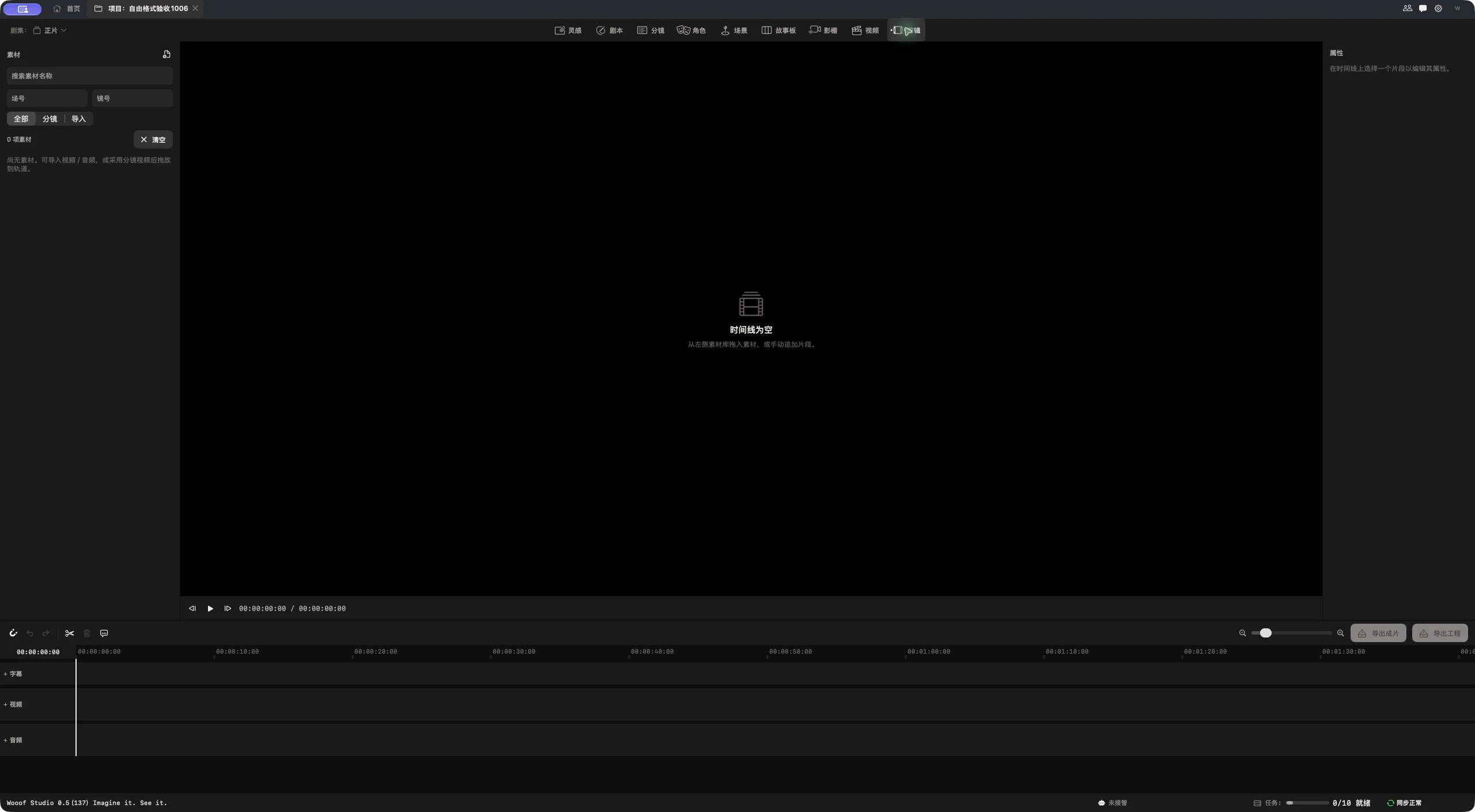
Rolin editing workspace and timeline
WORKFLOW / PRODUCTION

Complete a scene’s rough cut here, check transitions, timing and overall rhythm, then export the project for fine cutting in professional post.

← Back to product overviewNEXT WORKBENCHInspiration ↗
IMAGINE IT. SEE IT.

Imagine it.
See it.